
Download DigiCure APK – Diabetes Management, Telehealth, Secure Video Consultation, Health Tracking
Overview
DigiCure is a mobile application developed by Robi Axiata Ltd. designed to support individuals managing diabetes through digital health tools. The app enables users to monitor key health metrics such as blood sugar levels, diet, and physical activity, helping them maintain better control over their condition. It also facilitates secure, confidential virtual video consultations with healthcare providers through the integrated DigiCare platform, allowing for remote medical advice, diagnosis confirmation, and test recommendations.
The application is intended for people of any age or gender living with diabetes who seek a convenient and supportive digital health companion. By combining health tracking with telehealth services, DigiCure aims to simplify ongoing diabetes care and improve communication with medical professionals. The app is available as a free download for Android devices, offering users access to essential health management tools without upfront costs.
Real-world use cases include daily glucose logging, scheduling medication reminders, and arranging virtual check-ups with doctors from home.
Key Features & Capabilities
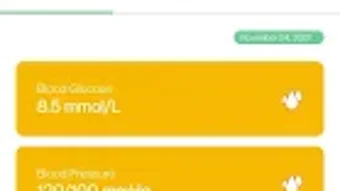
- Blood Sugar Tracking: Users can log and monitor their blood glucose levels over time, creating a visual history that supports informed health decisions.
- Medication Management: The app helps users set and receive reminders for prescribed medications, promoting adherence to treatment plans.
- Diet and Activity Logging: Individuals can record meals and physical activities, enabling them to identify patterns between lifestyle choices and glucose fluctuations.
- Secure Video Consultations: Integrated with DigiCare, the app allows users to connect with healthcare providers via encrypted video calls for real-time medical advice.
- Health Data Sharing: Users can securely share their health logs with doctors, aiding in diagnosis and treatment adjustments.
- Remote Test Recommendations: Healthcare providers can suggest necessary medical tests based on the user’s recorded data during virtual consultations.
These features are designed to support proactive health management. For example, a user might log a spike in blood sugar after a meal and later discuss it with their doctor during a video session, leading to a revised dietary plan. The integration of tracking and consultation tools reduces the need for frequent in-person visits, improving accessibility for users in remote or underserved areas.
User Interface, Workflow & Performance
The user interface of DigiCure appears to be structured around simplicity and accessibility, with intuitive navigation tailored for individuals managing chronic conditions. Key functions such as logging glucose readings, setting medication reminders, and initiating video consultations are likely organized in a clear menu or dashboard layout. The workflow is designed to minimize steps between data entry and action, promoting consistent use.
While specific details about interface elements are not provided, the app’s purpose suggests a focus on usability for non-technical users, including older adults and those less familiar with digital tools. Performance observations are based on general software behavior patterns, as exact metrics were not specified. The developer did not provide information on CPU or RAM usage, so resource efficiency cannot be assessed.
Stability and responsiveness are expected to be consistent with standard Android applications, particularly when used on devices meeting minimum OS requirements. Users can expect smooth transitions between sections, though performance may vary depending on device capabilities and network conditions.
Compatibility & System Requirements
DigiCure is available as an APK for Android devices. The developer did not specify the minimum operating system version or hardware requirements. Installation size information was not provided.
Compatibility details are limited to the Android platform, indicating the app is not available for iOS or desktop operating systems. The developer did not list exact system requirements, so users should ensure their device supports APK installation and has sufficient storage space. The absence of detailed compatibility information means that users should verify functionality on their specific device model.
Platform compatibility information is limited, and no details were provided about supported screen sizes, processor types, or memory configurations.
Pros and Cons
Pros
- Free to download and use, reducing financial barriers to diabetes care.
- Combines health tracking with secure telehealth consultations in a single platform.
- Supports medication reminders and lifestyle logging for better disease management.
- Offers virtual video consultations with healthcare providers for remote medical advice.
- Designed for users of all ages and genders, promoting inclusivity.
- Encrypted communication ensures privacy during virtual appointments.
Cons
- No information was provided about system requirements or device compatibility.
- Performance and resource usage details were not disclosed.
- Available only as an APK, limiting access to users who can install third-party apps.
- Platform availability is restricted to Android, excluding iOS and desktop users.
- Exact data storage and privacy policies were not specified.
FAQ Section
Is DigiCure available for iOS devices?
As of now, DigiCure is only available as an APK for Android. There is no official version for iOS devices.
Is the app safe to use for medical consultations?
DigiCure integrates with DigiCare to provide secure and confidential video consultations. The app is designed to protect user privacy during medical interactions.
Do I need to pay to use DigiCure?
DigiCure is available as a free app. However, specific services like consultations may have associated costs depending on the provider or plan.
Can I use DigiCure offline?
While the app may allow basic data entry offline, features like video consultations require an active internet connection.
How often are updates released for DigiCure?
The update frequency was not specified by the developer. Users are advised to check for updates regularly through trusted APK sources.
Final Thoughts + CTA
DigiCure presents a compelling solution for individuals managing diabetes, combining essential health tracking with secure telehealth access. Its integration of medication reminders, glucose logging, and virtual consultations offers a holistic approach to daily care. While the lack of detailed system requirements and platform limitations restrict broader accessibility, the app’s free model and focus on privacy make it a strong option for Android users.
It is particularly beneficial for those seeking convenient, remote medical support and improved self-management tools. The app’s design suggests a user-friendly experience tailored to diverse needs. For anyone living with diabetes who values digital health tools and remote care, DigiCure delivers meaningful functionality.
Download DigiCure now.







